






Postgres performance at any scale

Deliver consistent database performance and availability through intelligent tuning advisors and continuous database profiling.

Integrates with Amazon Web Services, Google Cloud Platform, Microsoft Azure, and more.
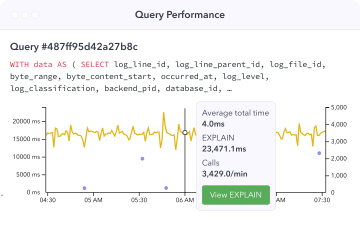
Illustration Query Performance
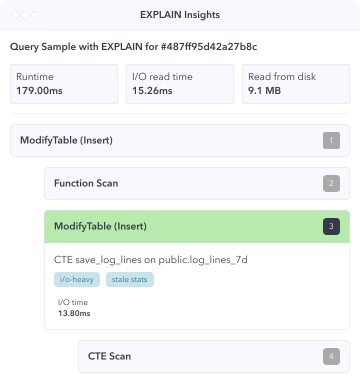
Illustration EXPLAIN Plan
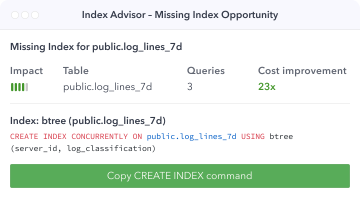
Illustration Index Advisor Missing Index
Productboard
Autotrader
Moody’s
Salsify
Fivetran
fuboTv

Take control of your Postgres workload and query plans

Learn more about automatic collection and insights into Postgres Query Plans →

In-depth Postgres observability

Drill down into detailed per-query statistics and benefit from insights into your query performance history to detect slow queries.

Analyze EXPLAIN plans over time

Automatically collect your EXPLAIN plans with auto_explain, and get detailed insights based on query plans gathered from your database.

Find root causes of slow queries

Understand why a query is slow and get tuning recommendations on how to make the query faster.

Resolve database slowdowns

Identify slowdowns for specific queries over time, I/O vs CPU time spent, and buffer cache hit ratio for each query.
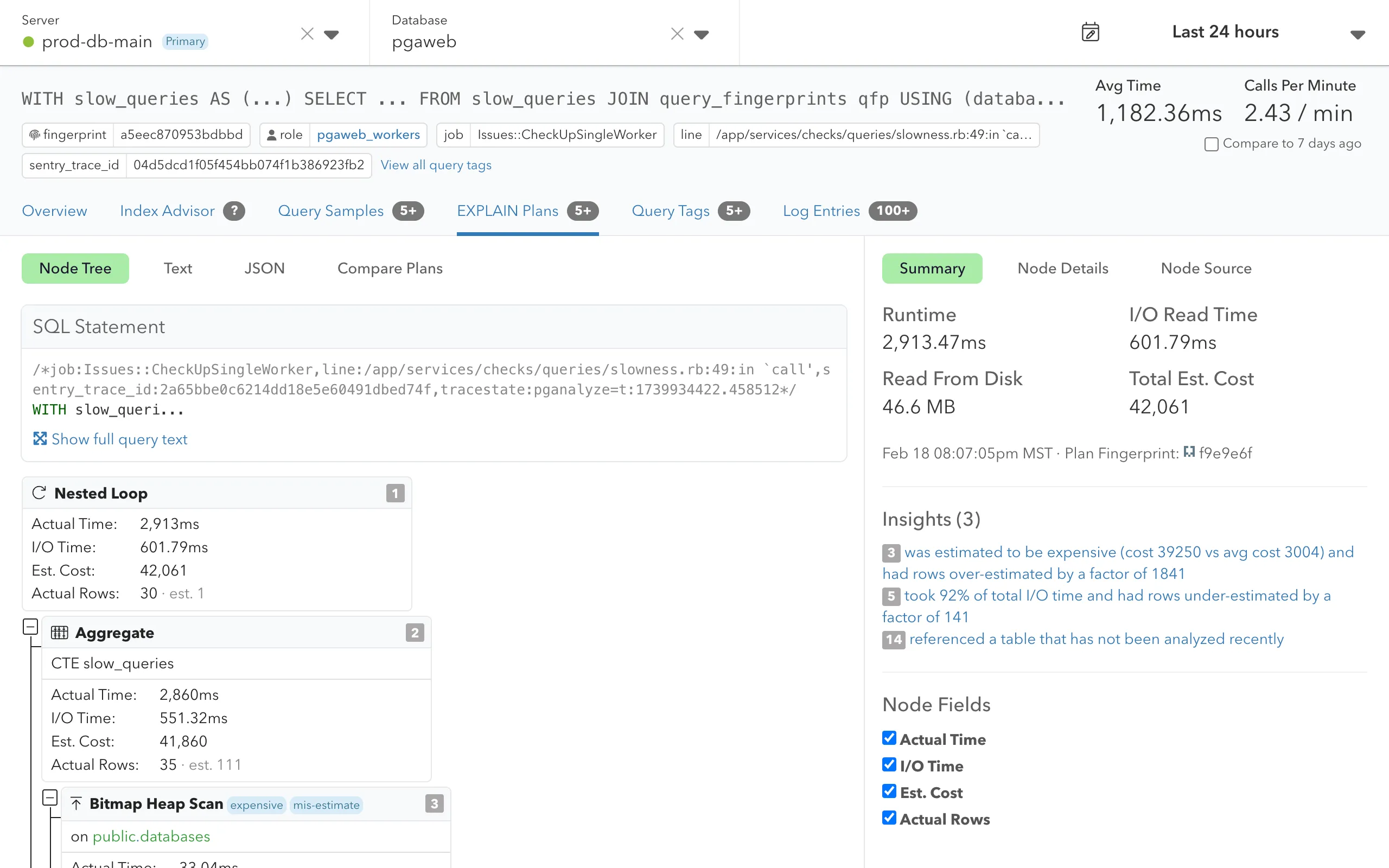
Screenshot of Query Plan visualization
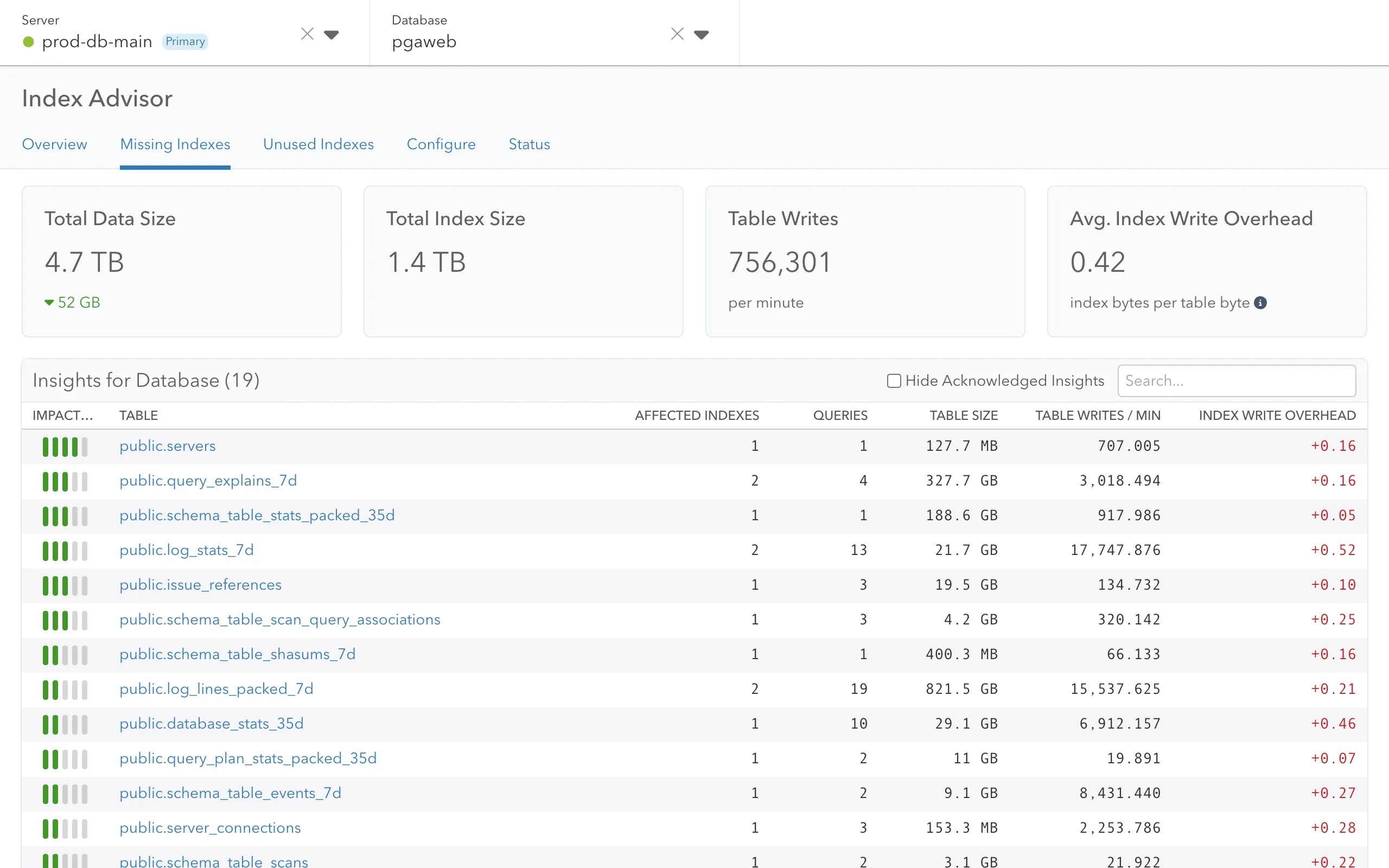
Screenshot of pganalyze Index Advisor for Postgres

Discover tuning opportunities with automatic advisors

Learn more about Postgres index recommendations with pganalyze Index Advisor →

pganalyze Index Advisor

Automatically detects missing indexes and recommends single and multi-column indexes that improve query performance across your databases.

Based on reproducible logic

The pganalyze Indexing Engine tries out hundreds of index combinations using its "What If?" analysis & surfaces the most impactful opportunities.

pganalyze VACUUM Advisor

Provides per-table recommendations for autovacuum settings to optimize table bloat, freezing, VACUUM performance, and more.

Smart configuration tuning

Discover effective config settings tailored to your database workload that enable you to achieve consistent Postgres performance and availability.

Empower all development teams to fix slow queries

Learn more about Postgres query analysis with pganalyze →

Greater developer productivity

Give product and infrastructure engineers the right tool to understand and solve query performance issues.

Prevent information silos

Slow queries can be hidden by ORM calls in the application code. Identify them with query tags in pganalyze.

Pinpoint slow queries

Help your teams understand why a query is slow & get recommendations on how to make the query faster.

Collaborate without limits

Enable all your teams to work on improving Postgres performance with Single Sign-On and unlimited users.
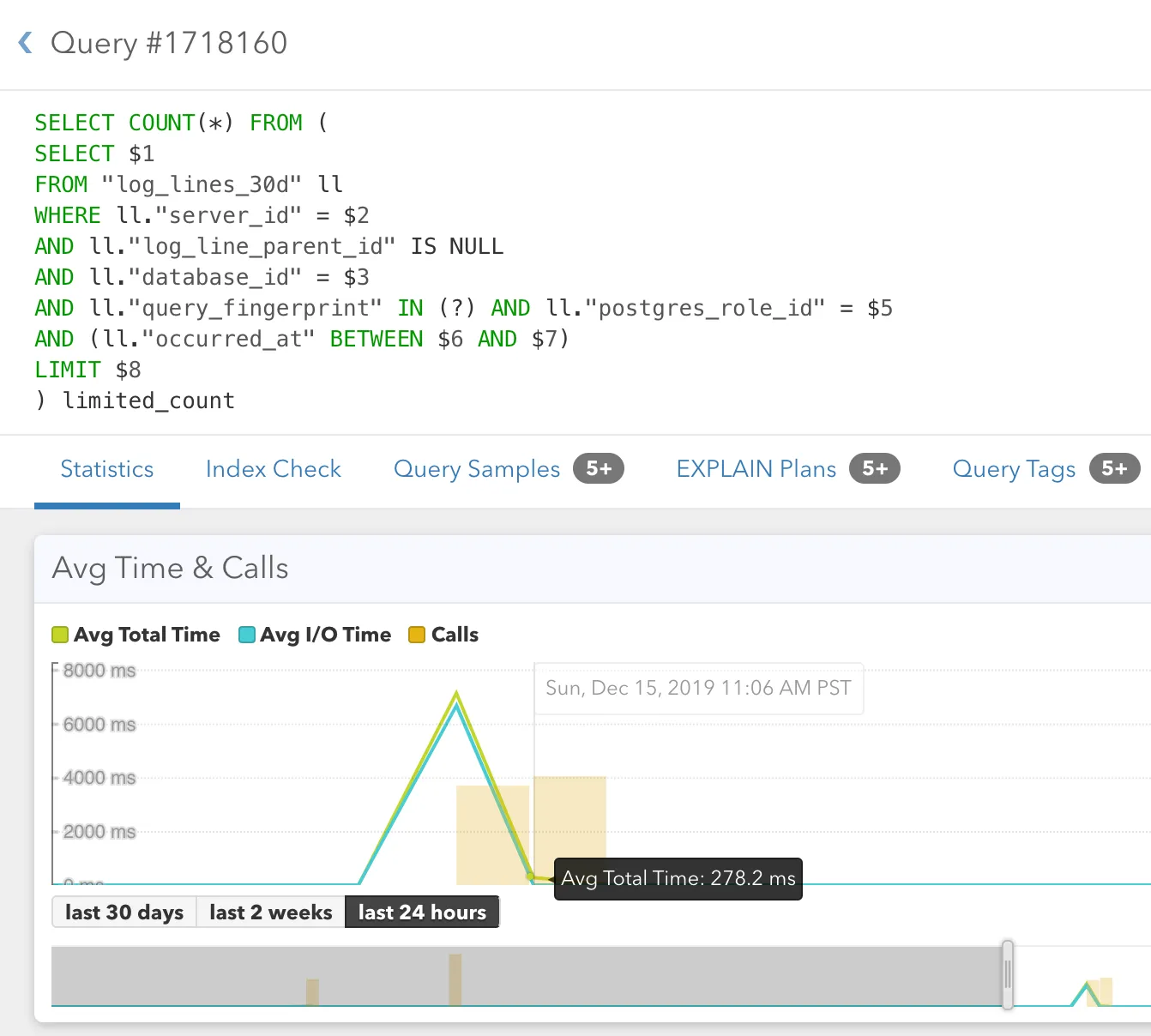
Screenshot of Query Details page
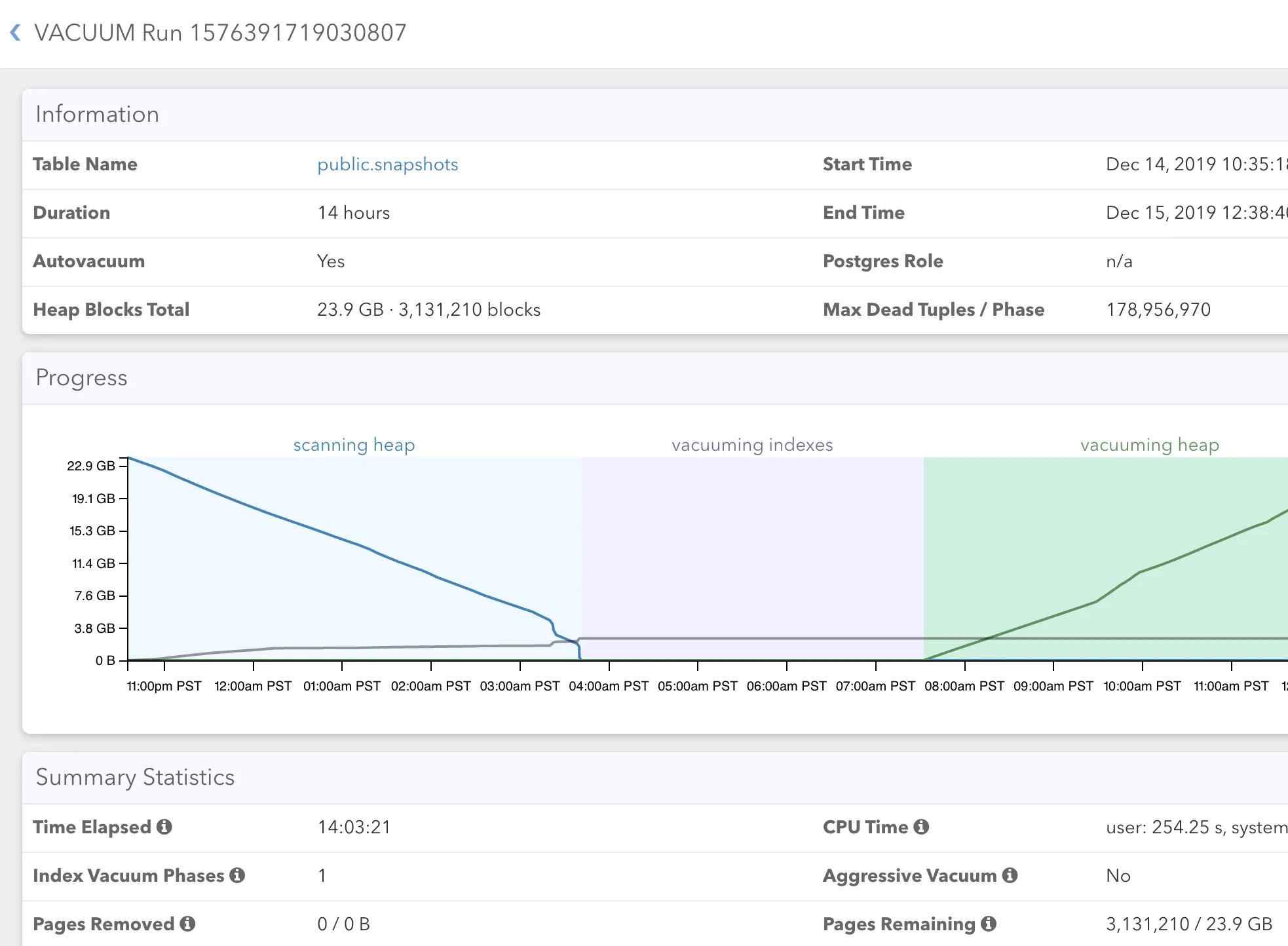
Screenshot of Autovacuum Monitoring

Database visualization and sophisticated dashboards

Learn more about Postgres monitoring with pganalyze →

Avoid CLI tools

Uncover root causes to issues in minutes and stop wasting time with command line tools.

One single platform

View your logs and query statistics in one single platform and monitor your key metrics in real-time.

Trend analysis

Analyze meaningful trends and get insights into your query performance history.

Tuning recommendations

Collect detailed insights and receive tuning recommendations for your per-table autovacuum configuration.

Clear understanding of logs with pganalyze Log Insights

Learn more about pganalyze Log Insights →

Structured data

Log Insights automatically extracts the logs into structured data, and filters any sensitive information.

auto_explain integration

Automatically extract the output for the auto_explain extension that comes bundled with Postgres.

Postgres vacuum monitoring

Automatically combine information about vacuum logs with statistics data, and see it in one unified interface.

Careful PII filtering

Thanks to over 100 log filters, pganalyze filters PII from the log messages before it gets stored.
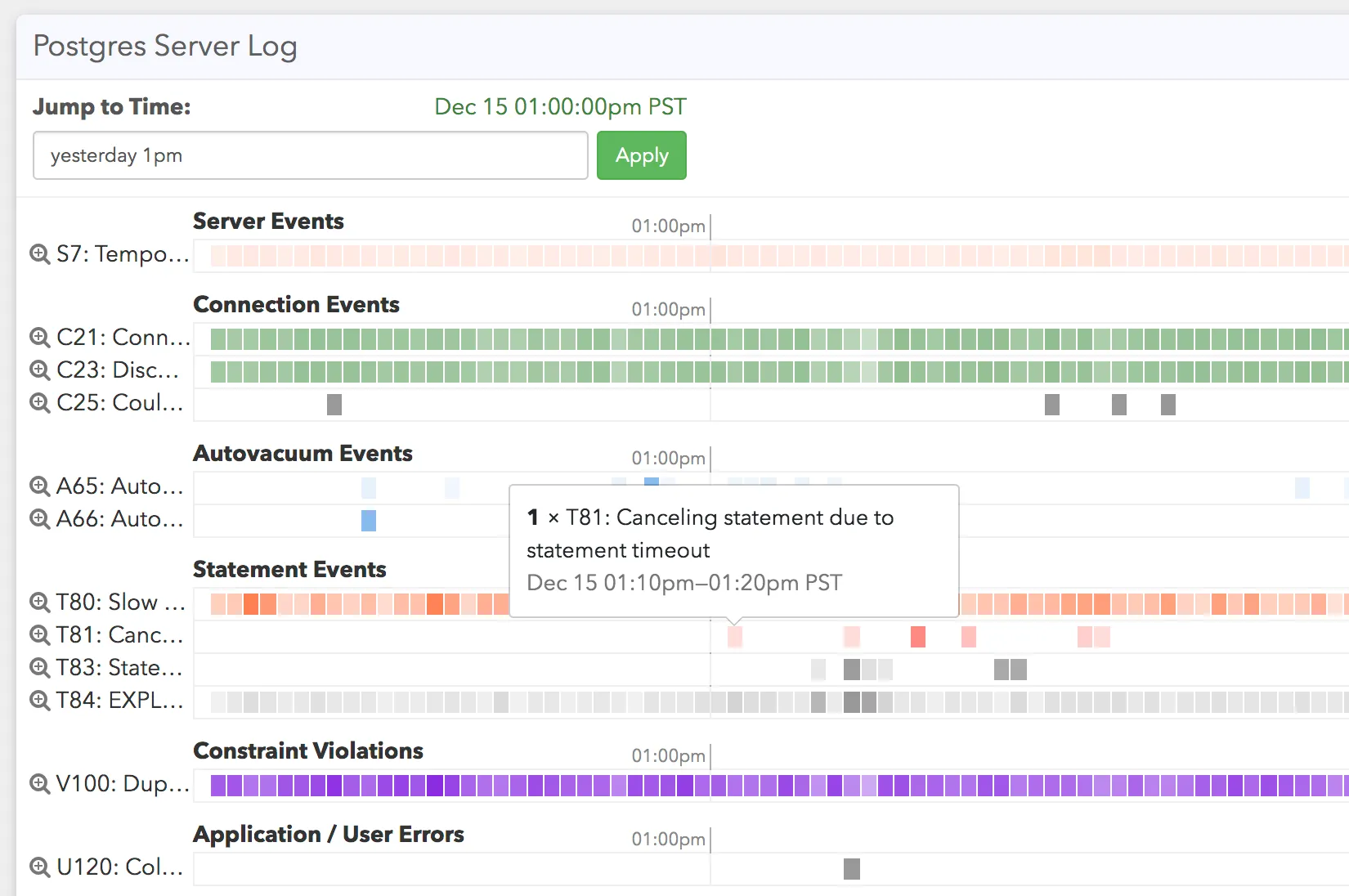
Example of Log Insights
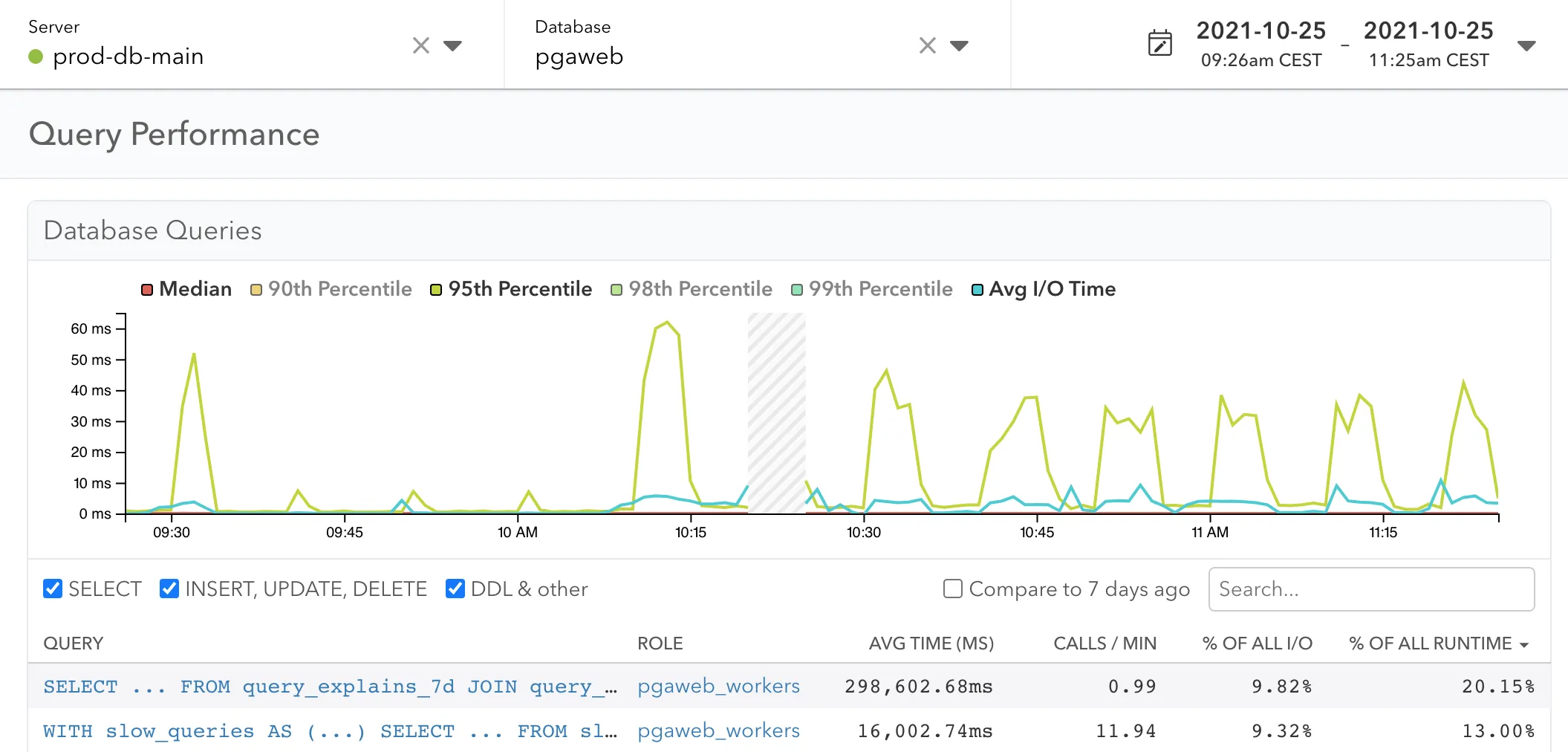
Screenshot of Query Performance Dashboard with date picker

Performance optimization for your Postgres databases

Learn more about Postgres performance optimization with pganalyze →

Comparison over time

Get easy access to historic data, and zoom into specific moments of your database server performance.

Tuning recommendations

Set up automated checks that analyze your Postgres configuration and suggest optimizations.

Per-table detection

pganalyze detects per-table configuration, for example for table-specific autovacuum settings.

Buffer cache hit ratio

Easily get insights into your buffer cache hit ratio for each query, over time.

Secure Postgres monitoring

Learn more about secure database monitoring with pganalyze →

Running on-premise

pganalyze can be run on-premise inside a Docker container behind your firewall, on your own servers.

Comply with local policies

Retain your database statistics data in the correct region of the world to comply with local policies.

Sensitive data

pganalyze normalizes query information so that only structural data is stored and presented.

SSO integration

pganalyze integrates with your Active Directory, LDAP, Okta or Google Apps setup.
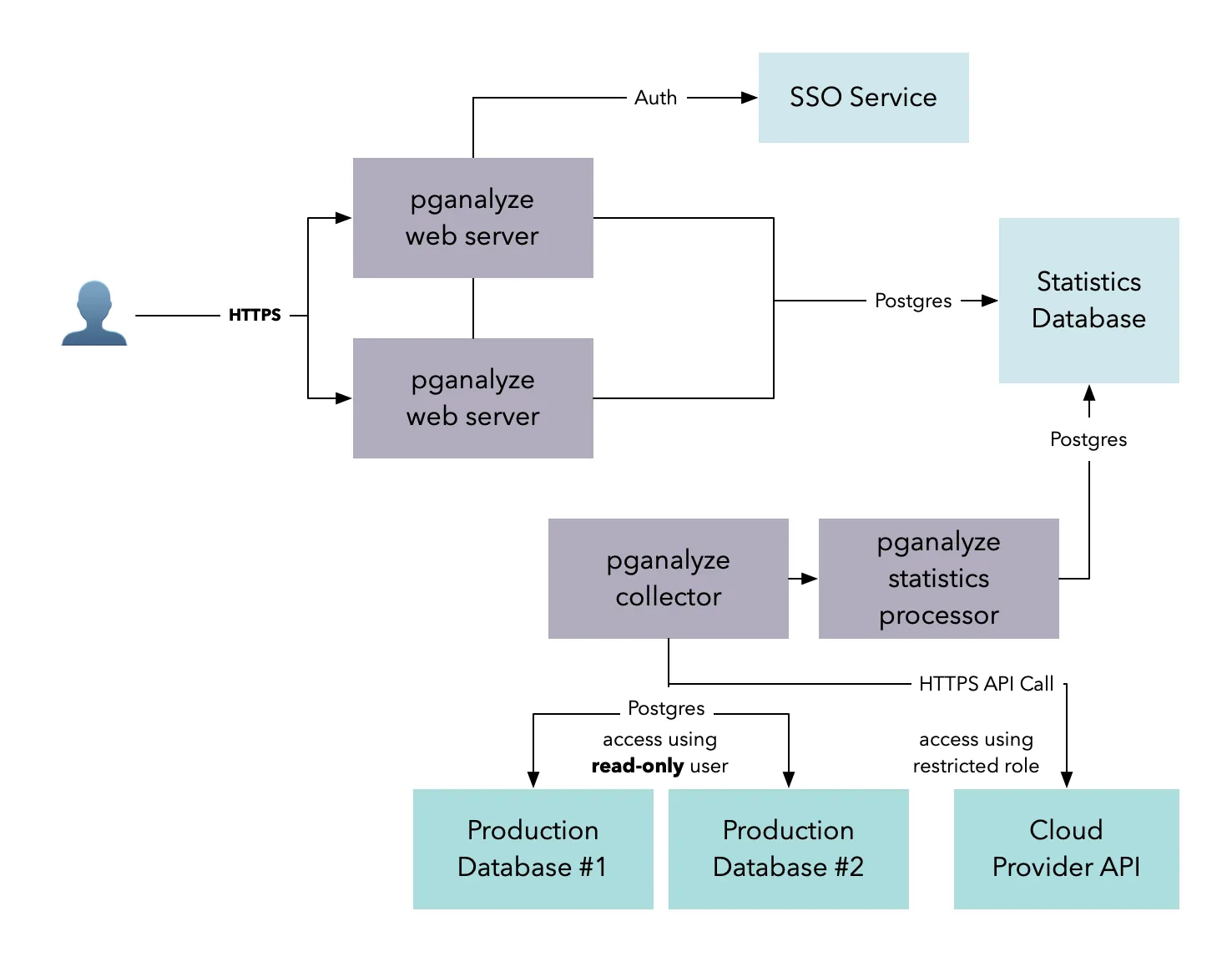
Architecture pganalyze

Frequently asked questions

What is pganalyze?

pganalyze is a Postgres performance optimization product for engineering teams. It captures query performance, wait event data and other critical information, finds the root cause of slow queries, bad indexes, and table bloat in minutes, and lets you investigate safely with AI tools such as Claude Code through the pganalyze MCP Server. With pganalyze Workbooks, fixes to slow queries can be tested and validated before you ship. More than 700 teams, including Notion, Auto Trader UK, and Fivetran, use it through the cloud service or self-host with pganalyze Enterprise Server.

Product tour

Is pganalyze open source?

No. pganalyze is a commercial product, sold as a cloud service with a 14-day free trial or as the self-hosted pganalyze Enterprise Server. Parts of it are open source: the pganalyze collector, the agent that runs in your infrastructure and connects to your database, is on GitHub so you can read exactly what it collects. pganalyze also maintains open source Postgres libraries such as pg_query, which powers the query normalization, pg_stat_plans, an extension for Postgres that captures plan statistics and helps detect regressions, and contributes upstream to the PostgreSQL project.

Open source components

Does pganalyze have access to the data in my database?

No. The pganalyze collector connects with a monitoring role that can only read system statistics and metadata, so it cannot query the rows in your tables or modify your database. The collector is open source, makes only outbound connections, and does not listen on any ports. Run pganalyze-collector --dry-run to see everything it would send. Note that when using pganalyze Log Insights the collector will also capture log events, some of which might contain sensitive data. This data can be filtered with the PII filtering options.

Collector security

Which Postgres hosting providers does pganalyze support?

pganalyze has step-by-step guides for Amazon RDS and Aurora, Google Cloud SQL and AlloyDB, Azure Database for PostgreSQL, Heroku Postgres, Crunchy Bridge, Aiven, Supabase, Neon, and self-managed Postgres on VMs, containers, or Kubernetes. Any other provider works through the self-managed guide as long as the collector can reach the database over the network, without system-level metrics.

Installation guides

How much does pganalyze cost?

pganalyze Production is $149 per month for one Postgres server with 14 days of history. Scale is $399 per month for four billable servers, then $100 per month per additional server, with 35 days of history, auto_explain plans, Query Advisor, VACUUM Advisor, and Log Insights. Enterprise is priced per engagement, billed annually, with 100 days of history and the option to self-host. Every plan includes unlimited users and a 14-day free trial.

Pricing

Can I self-host pganalyze on-premise?

Yes. pganalyze Enterprise Server is a fully self-contained version of pganalyze that runs behind your firewall on Docker, on Kubernetes with EKS or AKS, or on a VM, with the same query monitoring, Index and Query Advisor, EXPLAIN analysis, and Log Insights as the cloud service. No monitoring data leaves your network. It is part of the Enterprise plan; contact pganalyze for a trial.

pganalyze Enterprise Server

Does pganalyze have an MCP server, and does it work with Claude Code, Codex, and Cursor?

Yes. The pganalyze MCP Server works with Claude Code, Codex, Cursor, and any other MCP client that supports HTTP transport, such as Claude Desktop, AWS DevOps Agent or VS Code. In Claude Code, add it with claude mcp add --transport http pganalyze https://app.pganalyze.com/mcp. It gives the assistant read access to the query statistics, EXPLAIN plans, Index Advisor results, issues, and logs that pganalyze already collected, so it can investigate a slow query without touching your database. It is in public preview on all current plans.

MCP Server

See all FAQs