


API: Personal access tokens
Personal access tokens is in Early Access
This feature is available to a limited number of customers in early access and may change without notice. Reach out to us if you're interested.
A personal access token lets a script, agent, or CI job call the pganalyze GraphQL API or MCP server on your behalf. Each token belongs to you and to a single organization, and carries only the scopes you choose when you create it.
Personal access tokens are not yet available on pganalyze Enterprise Server.
How access is determined
A personal access token is restricted by the following:
- The token’s scopes, chosen when you create the token (see Scopes).
- Your account permissions in the token’s organization. For example, if you can only view certain servers, the token has the same restriction. See Permissions and Roles.
A token only works in the organization it was created in. If you are a member of several organizations, create a separate token in each one.
Creating a personal access token
Any member of the organization can create personal access tokens for themselves. No additional permission is required.
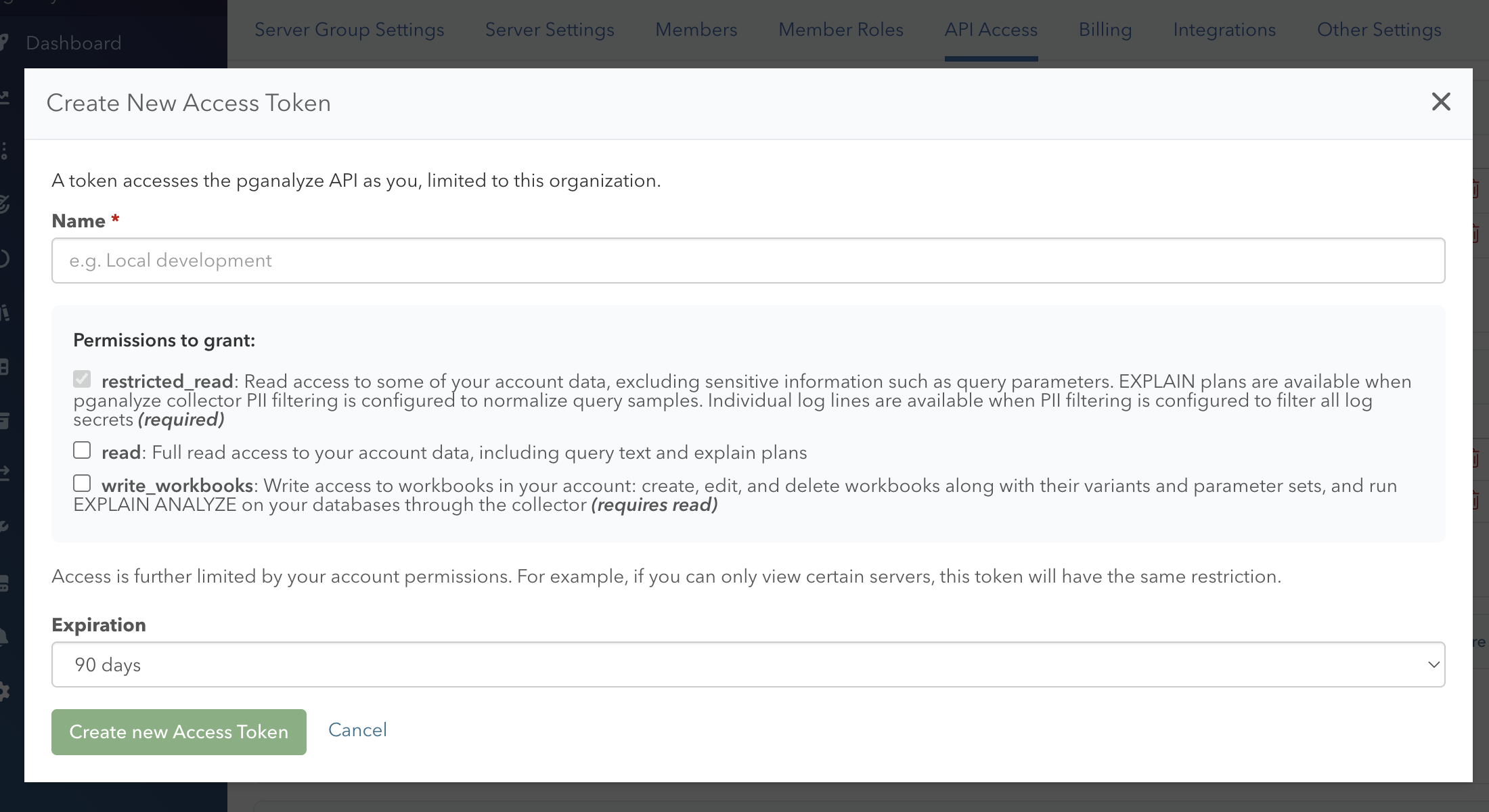
- Go to Settings > API Access for your organization.
- In the Personal Access Tokens section, click Create Access Token.
- Enter a name that tells you where the token is used, for example “Local development” or “CI pipeline”.
- Select the scopes to grant.
- Choose an expiration: 30 days, 60 days, 90 days (the default), 1 year, or no expiration.
- Click Create new Access Token.
The token is shown only once, right after you create it. Copy it and store it somewhere safe, such as a secrets manager. pganalyze stores only a hash of the token and cannot show it to you again.
Tokens start with pgat_. The API Access page lists your tokens by name and the first few characters of the token, so you can tell them apart without the full value.
Scopes
Personal access tokens use the same scopes as OAuth. Basic read access (restricted_read) is always granted, and Full read access (read) and Workbook write access (write_workbooks) are optional. See Scopes for what each scope allows.
Using a personal access token
Pass the token in the Authorization header, using either the Bearer or Token scheme.
GraphQL API
curl -XPOST -H 'Authorization: Bearer pgat_XXXXXXX' -F 'query=query { getServers(organizationSlug: "your-organization") { id, name } }' https://app.pganalyze.com/graphqlSee Queries for the available endpoints.
MCP server
Configure your MCP client to send the token as a Bearer token. For example, with Claude Code:
claude mcp add --transport http \
  pganalyze https://app.pganalyze.com/mcp \
  -H "Authorization: Bearer pgat_XXXXXXX"
See MCP Server for the available tools and how to configure other MCP clients.
Revoking a personal access token
To revoke a token, click the trash icon next to it on the API Access page. Revocation takes effect immediately.
When you are removed from an organization, your personal access tokens for that organization are revoked automatically.
Couldn't find what you were looking for or want to talk about something specific?
Start a conversation with us →