


Step 4: Configure the Collector
Finding your Supabase connection information
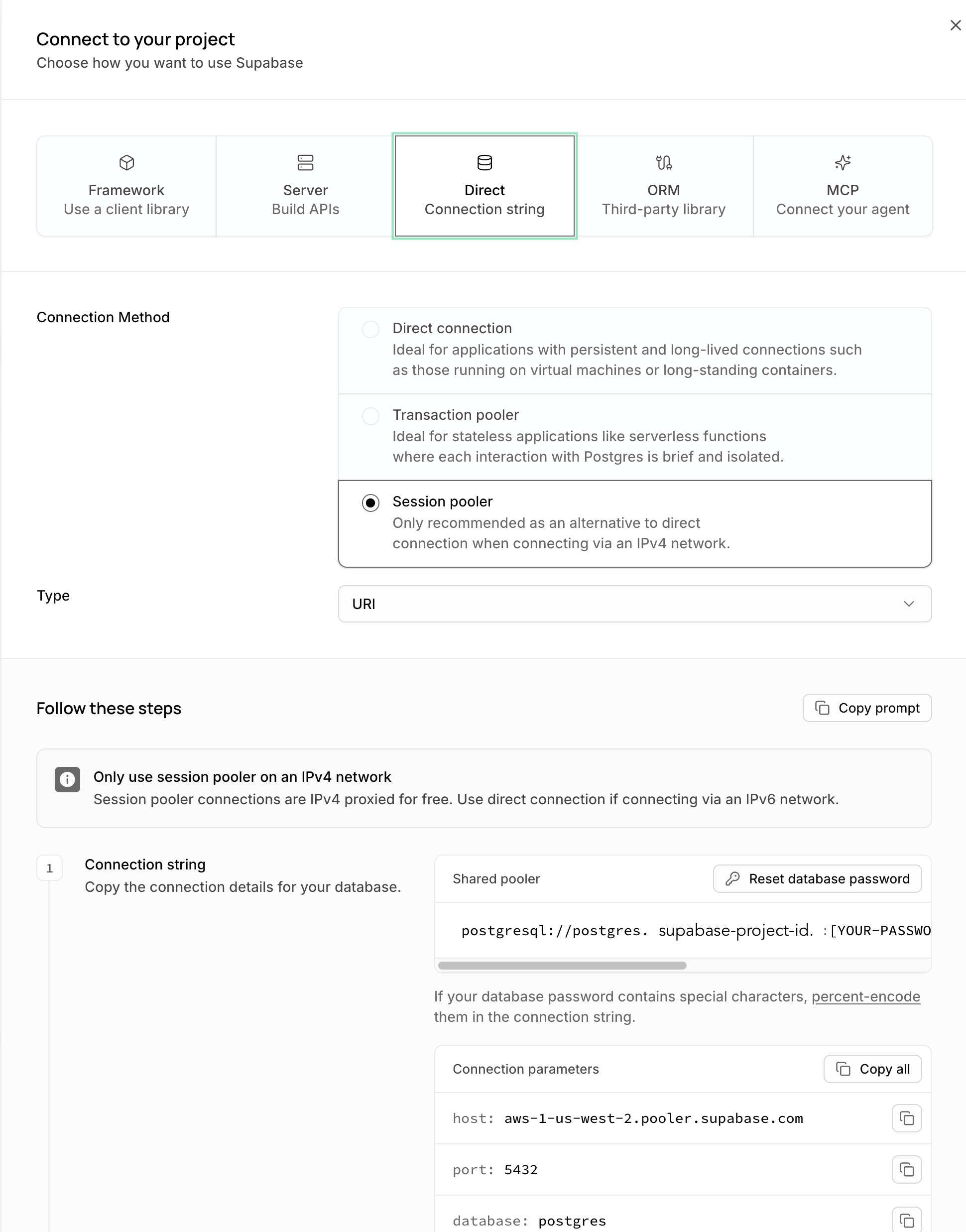
The collector currently uses IPv4 to connect to your database, but by default, Supabase’s direct connection is IPv6-only. Therefore, we generally recommend connecting through the Supavisor session pooler (port 5432 on the pooler hostname), rather than the direct connection unless you are already paying for the IPv4 direct connection add-on in your Supabase project.
IPv4 add-on.
You can find your session pooler connection information by clicking on the Get Connected button in the Supabase dashboard:
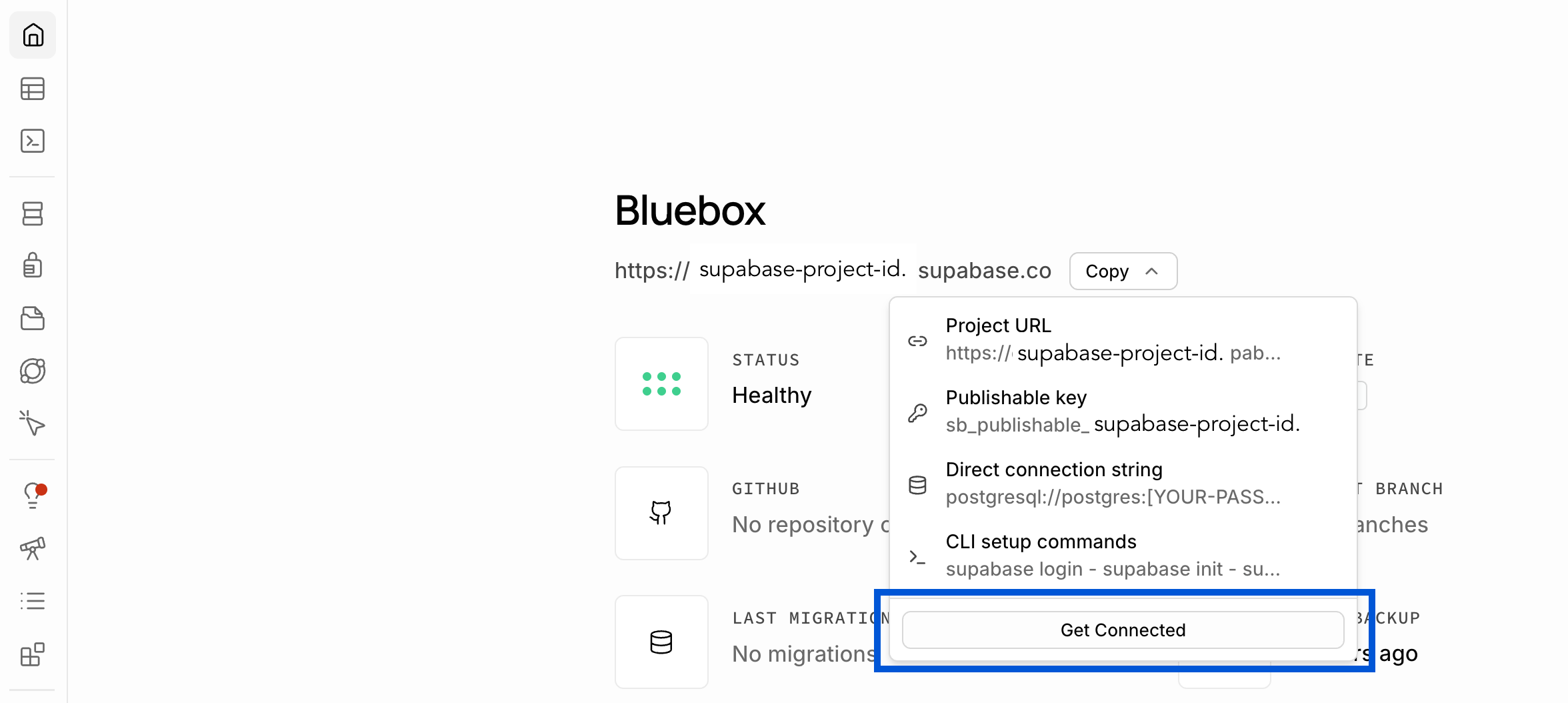
Then select the Session pooler option under the Direct Connection String tab.
Modify the collector configuration file
Create your configuration file (e.g. named pganalyze_collector.env) with environment variables like this:
PGA_API_KEY=your-organization-api-key
DB_HOST=aws-0-your-region.pooler.supabase.com
DB_PORT=5432
DB_NAME=postgres
DB_USERNAME=pganalyze.your-project-ref
DB_PASSWORD=your_monitoring_user_password
Fill in the values step-by-step:
-
The
PGA_API_KEYcan be found in the pganalyze Settings page for your organization, under the API Access tab - The
DB_HOSTis the Supavisor pooler hostname for your project, of the formaws-0-<region>.pooler.supabase.com. You can find it under Project Settings → Database in the Supabase dashboard (choose the “Session pooler” tab) - The
DB_PORTis5432for the session pooler — do not use port6543, which is the transaction pooler and doesn’t support the session-level features the collector relies on - The
DB_NAMEis the database you want to monitor (postgresby default) - The
DB_USERNAMEandDB_PASSWORDshould be the credentials of the monitoring user we created in Step 1. Note the pooler requires the<role>.<project-ref>username format, so this ispganalyze.your-project-ref, not justpganalyze
If you’re paying for Supabase’s IPv4 add-on and prefer to connect directly instead, use the
direct connection hostname (db.<project-ref>.supabase.co) as DB_HOST, drop DB_PORT
(defaults to 5432), and use the plain pganalyze username.
The collector automatically detects that this is a Supabase project from the DB_HOST
suffix, so no further platform-specific configuration is required.
Test snapshot
Then run the following:
docker run --env-file pganalyze_collector.env quay.io/pganalyze/collector:stable testOnce you’ve confirmed the install is successful and you’re receiving query data in pganalyze, we recommend setting up Log Insights as a follow-up step, to automatically track log events in your database.
Couldn't find what you were looking for or want to talk about something specific?
Start a conversation with us →